
Meet the new generation of MacBook Pro with a PROLED XDR OLED display — it differs from the brand’s standard laptop with its touchscreen and Multi-Touch support. Configurations with M5 Pro and M5 Max chips are available.
Touch controls open up new possibilities for working with graphics and video. You can now interact with content using familiar gestures: zoom in on photos, move objects, and draw directly on the screen. The macOS 27 interface has been adapted for touch input. Designers, photographers, video editors, and anyone who regularly works with complex graphics will appreciate the new model.
What Is the MacBook Pro with a Touchscreen?
The MacBook Pro with a touchscreen is a professional Apple laptop that, for the first time, can be controlled not only with a traditional mouse, trackpad, and keyboard but also by touching the screen. The device features a 14.2-inch or 16.3-inch OLED touchscreen, along with Apple M5 Pro and M5 Max chips.
OLED Display: What’s Changed?
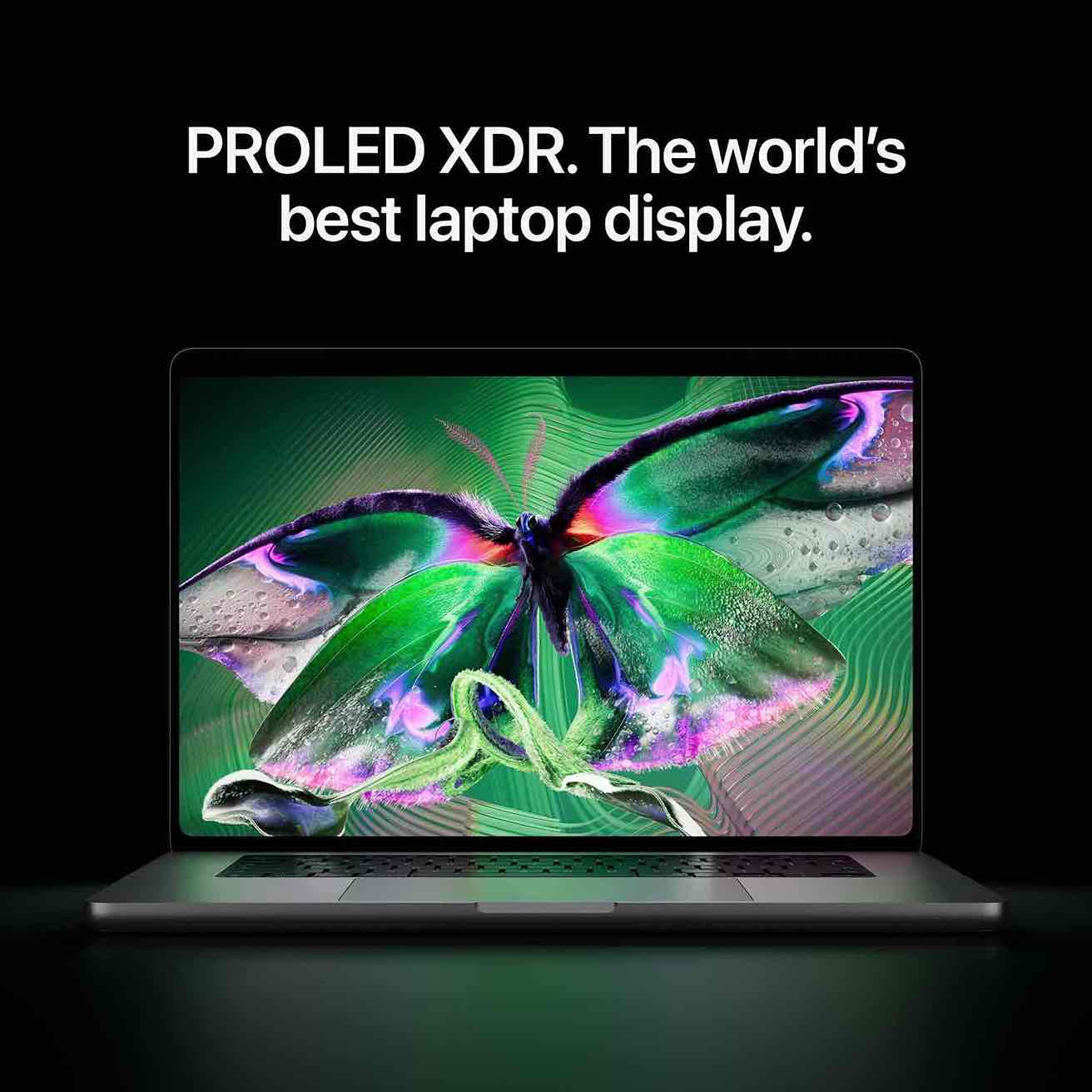
The biggest change is the display: Apple has replaced mini-LED technology with PROLED XDR based on tandem OLED. Each pixel in this display emits its own light, producing deep blacks. The contrast ratio is 10,000,000:1 — 10 times higher than that of laptops with a Liquid Retina XDR display (1,000,000:1). This is especially useful when working with graphics.
The display’s peak brightness reaches 2,000 nits for both SDR and HDR content. This makes the laptop comfortable to use even in bright lighting conditions — outdoors on a sunny day or in an office. You can also choose a configuration with nano-texture glass, which reduces glare.
The MacBook Pro’s OLED display supports ProMotion technology with an adaptive refresh rate of up to 120Hz. This makes animations and scrolling look smooth while reducing the display’s battery consumption.
How Does Touch Control Work?
Control the MacBook Pro with a touchscreen using familiar gestures, just like on a smartphone or tablet. The reinforced hinge keeps the display securely in place and prevents it from wobbling when touched. You can combine different input methods: the keyboard and trackpad remain available as well.
macOS 27 supports the following key gestures:
- scrolling — swipe your finger across the screen;
- moving — drag objects and slides;
- double-tap — tap a window twice to enter full-screen mode;
- zooming — pinch your fingers together to zoom out or spread them apart to zoom in;
- quick swipe — swipe sharply to position a window in the desired area of the display.
You can draw directly on the screen to create graphic designs, select specific sections during video editing, or test touch gestures directly on your Mac when developing apps for iPadOS and iOS.
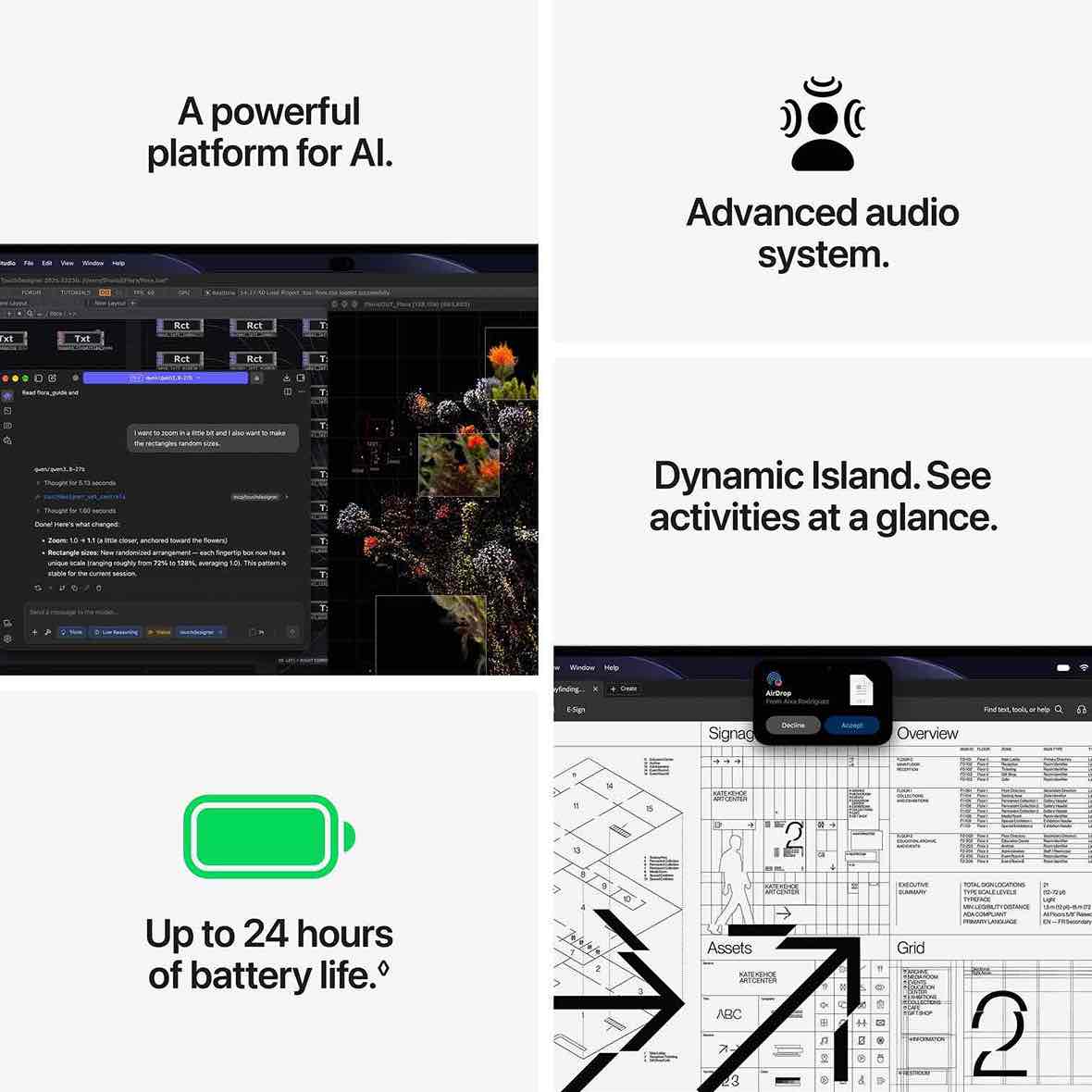
Dynamic Island has appeared on Apple laptops for the first time. This interactive area brings together Live Activities, Spotlight, and Siri AI. You can use it to quickly find information, track updates, and interact with the assistant.

M5 Pro or M5 Max: Which Chip Should You Choose?
The touchscreen laptop lineup includes two versions with different processors. For photo editing, video editing, programming, and multitasking, the MacBook Pro M5 Pro with a 15- or 18-core CPU and a 16- or 20-core GPU is a suitable choice. This level of performance is sufficient for working with demanding professional applications.
The MacBook Pro M5 Max is designed for even more complex tasks. The chip features an 18-core CPU and a 32- or 40-core GPU. Its higher graphics performance is especially useful for creating visual effects, 3D animation, processing 8K video, and running resource-intensive AI models directly on the device.
The amount of unified memory (RAM) depends on the selected chip. The M5 Pro model offers 24GB to 64GB, while the M5 Max version comes with 36GB to 128GB. Maximum memory bandwidth is 307GB/s and 614GB/s, respectively.
Design and Build
The familiar MacBook Pro design remains, but Apple has significantly redesigned its construction. Thanks to the new cooling system and OLED display, the laptop has become thinner and lighter. The 14-inch version weighs 1.38 kg, while the 16-inch model weighs 1.82 kg. The chassis is 0.5–1 mm thinner than its predecessor.
The aluminum chassis is available in two colors: Space Black and Silver. The iconic illuminated Apple logo has returned to the lid, a feature fans have missed for more than 10 years. Connectivity options include three Thunderbolt 5 ports, an SDXC card slot, a MagSafe 3 charging port, and HDMI.
Touchscreen vs. Standard MacBook Pro: What’s the Difference?
In fall 2026, Apple introduced both the touchscreen MacBook and the familiar MacBook Pro M6. Let’s compare the specifications of both models to help you decide which one to choose.
| Specification | MacBook Pro with Touchscreen | MacBook Pro M6 |
|---|---|---|
| Display size | 14.2 or 16.3 inches | 14.2 inches |
| Display type | PROLED XDR | Liquid Retina XDR |
| Touch control | Multi-Touch | No |
| Brightness | Up to 2,000 nits (SDR and HDR) | Up to 1,600 nits (HDR only) |
| Contrast ratio | 10,000,000:1 | 1,000,000:1 |
| Processor | M5 Pro or M5 Max | M6 |
| Battery life | Up to 22 or 24 hours (M5 Pro); up to 20 or 22 hours (M5 Max) | Up to 24 hours |
| Weight | 1.38 or 1.82 kg (M5 Pro); 1.4 or 1.84 kg (M5 Max) | 1.55 kg |
| Thickness | 1.5 or 1.6 cm | 1.5 cm |
If you work with graphics or edit videos and want to complement traditional input methods with touch gestures, consider the touchscreen model. If you prefer using a keyboard and trackpad and mainly need a laptop for programming and working with documents, the MacBook Pro M6 is worth considering.
Who Is It For?
The touchscreen MacBook Pro opens up new possibilities for illustrators and designers: they can now work with graphics directly on the screen. Photographers will appreciate the OLED display with accurate color reproduction and the ability to zoom in on photos using familiar gestures. Meanwhile, iPhone and iPad app developers can test touch controls directly on their Mac.
Where to Buy a MacBook Pro with a Touchscreen?
In Armenia, you can buy a MacBook Pro with a touchscreen at iSpace — an Apple Premium Reseller. We offer only genuine Apple devices with a manufacturer’s warranty. Our experts are ready to help you choose and set up your device.
Available configurations and current stock information are listed on the product pages. You can explore Apple devices in person at our stores in Yerevan or place an order online with courier delivery throughout the country. For more affordable purchases, financing and installment plans are available. Join the iSpace Community to stay up to date with new releases and our exclusive offers.
FAQ
Does the MacBook Have a Touchscreen?
Yes, the first MacBook with a touchscreen was introduced on October 28, 2026. Gesture controls now complement traditional input methods.
How Is the Touchscreen MacBook Pro Different from the Standard Model?
The main innovation is the PROLED XDR display with Multi-Touch support. You can now interact with the laptop by touching the screen.
Which Chip Should You Choose: M5 Pro or M5 Max?
When choosing a processor, consider the specific requirements of your work. The M5 Pro configuration is suitable for programmers and video editors, while the M5 Max model is a good choice for those who work with large datasets and LLMs.
Is the Touchscreen Model Worth the Extra Cost?
If touch controls make your work easier, the additional cost of the touchscreen is fully justified. This feature is especially useful for photographers, designers, and graphic artists.
Check out more
Apple Introduces the First MacBook Pro with a Touchscreen and Glowing Apple Logo
MacBook Pro M6: Release Date, Specifications, and Review of Apple’s New Laptop
Mac Studio 2026: Release Date, Specifications, and Overview of Apple’s New Professional Computer
Always be aware!
Subscribe to the newsletter and be the first to know about new promotions and special offers