
Tablе of Content
If you compare iOS and Android smartphones, the iPhone often wins in terms of stability and security. As your first Apple device, you can choose one of the latest generations. The base smartphones from the iPhone 16 and iPhone 17 lineups support all current features, while the Pro versions offer high-quality photos and videos, flagship features, and long battery life.
In this article, we will explain how to choose a device in 2026 and how to transfer data correctly from your old smartphone to your new one. iSpace experts — both online and in retail stores in Yerevan — will help you choose an Apple device that matches your requirements.
iPhone or Android: What Is the Difference?
iPhone is Apple’s smartphone, and it runs on the company’s own iOS operating system. It provides a high level of personal data protection and regular updates for many years. Like other Apple devices, the smartphone is integrated into a closed ecosystem that is easy to use.
On June 8, Apple introduced the new iOS 27. It will be released this fall and will make everyday use even more convenient. For example, the new Siri AI will remember your conversations and take context into account, while you will be able to continue the conversation on any other device in the ecosystem. Child accounts have also been improved: parents now have more options for controlling content and screen time.
Android is an operating system, and it differs from iOS because it has open-source code. It is used by manufacturers such as Samsung, Oppo, Honor, and others. The interface and features vary depending on the brand, as each one has its own software skin.
Which Is Better: iPhone or Android?
Let’s compare the devices using popular flagship models released during the year as an example. Both smartphones handle 4K content and demanding apps very well.
| Specification | Apple iPhone 17 Pro Max | Samsung Galaxy S26 Ultra |
| Chip | A19 Pro | Snapdragon 8 Elite Gen 5 |
| RAM, GB | 12 | 12 or 16 |
| Display | OLED | Dynamic AMOLED 2X |
| Screen size, inches | 6.9 | 6.9 |
| Brightness, nits | 3000 | 2600 |
| Refresh rate, Hz | 120 | 120 |
| Main camera, MP | 48, triple Fusion camera with optical stabilization | 200 with a high aperture |
| Front camera, MP | 18, with a square Center Stage sensor | 12, with Galaxy AI used for photo processing |
| Battery life in video playback mode, hours | Up to 37 | Up to 31 |
Apple devices offer a secure ecosystem, no pop-up ads, and high-quality media content regardless of the device price — these are the qualities users value them for. The specifications of Android flagships depend on the manufacturer and its priorities.
Who Is an iOS Smartphone Right For, and Who Should Choose Android?
iPhone is chosen by users who need stable performance and a well-designed ecosystem. This is exactly the case when the manufacturer develops both the hardware and the software, so everything works smoothly and without unnecessary setup. iOS is suitable for school students, university students, creative professionals, engineers — literally everyone.
Android smartphones are chosen by users who want a little more customization, as the interface is easier to adapt to personal preferences. A large number of models run on this OS, making it easy to find the right option. However, once again, everything depends on the manufacturer and its software skin.
How to Switch from Android to iPhone?
The Move to iOS app will help you quickly transfer all your data — from files to apps — from your old device to your new one. You can easily download it from Google Play.
Preparation takes just a couple of minutes:
- make sure there is enough free space on the new device;
- turn on Wi-Fi on your old device;
- connect both devices to a charger. You can also use a USB-C cable, as it will speed up the transfer.
Turn on your iPhone, place the devices next to each other, and start the basic setup — simply follow the instructions on the screen.
Step-by-step instructions for switching from Android to iOS:
- When you reach the Quick Start step, tap it and follow the next steps.
- Select Transfer Apps & Data, then From Android, and choose transfer via the app.
- Enter the code that appears on your iPhone on your old smartphone.
- Select the files, media, and apps you want to transfer.
- Wait until the process is complete without using the devices.
To speed up the process and avoid filling up the memory, you can transfer music and PDF files manually later. It is better to download messengers from the App Store so you do not transfer unnecessary cache.
Which iPhone Should You Buy in 2026?
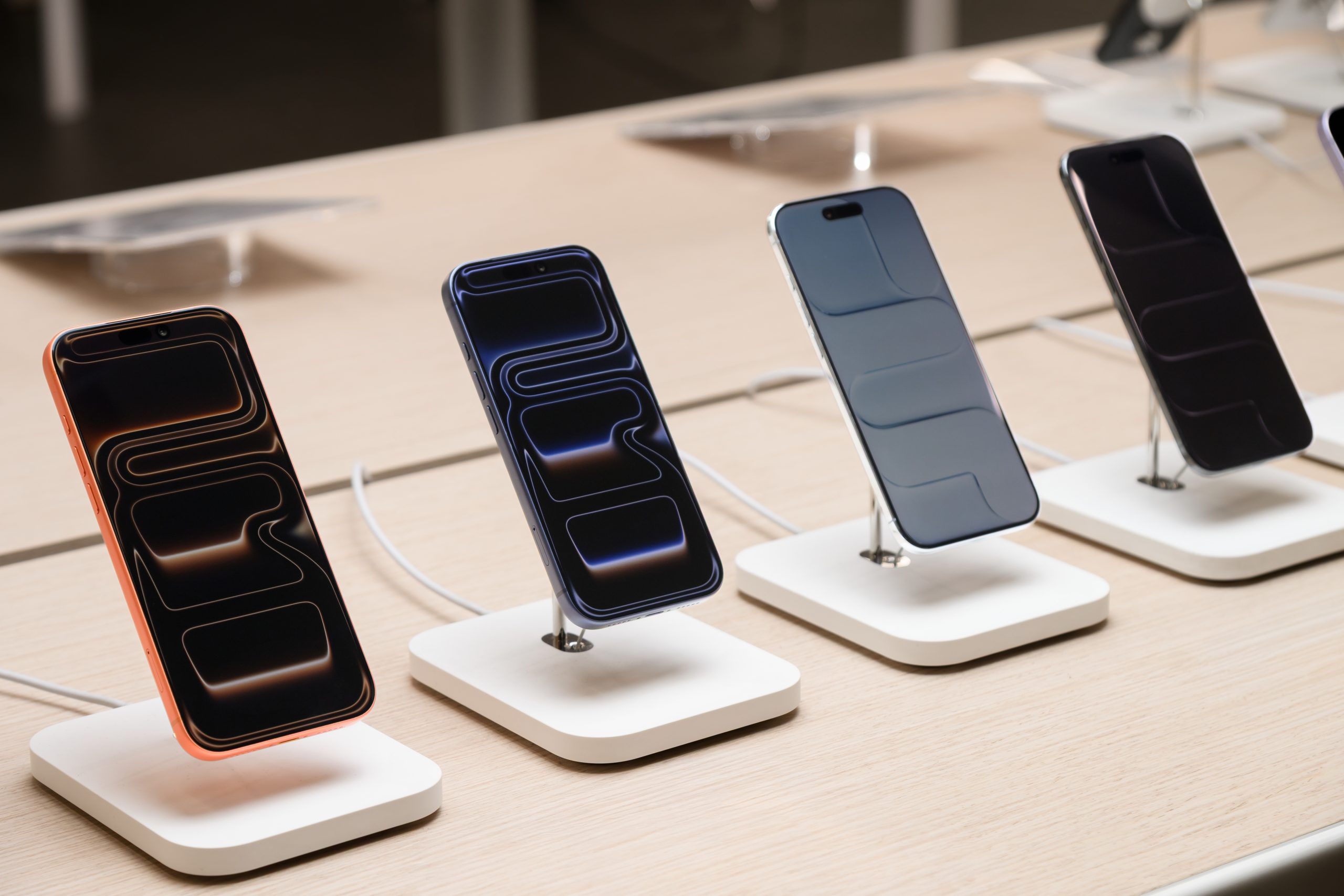
If you want to get the maximum set of features right away, pay attention to the iPhone 17 Pro and iPhone 17 Pro Max — the flagship models. They come with a powerful chipset, a LiDAR sensor, a large amount of RAM, and a high-quality camera.
Among the base versions, the iPhone 16 and iPhone 17 generations are ideal options. They offer long battery life, charge quickly, and support Apple Intelligence.
There are key differences between the iOS and Android platforms:
- iOS regularly receives updates that improve the level of security;
- Android offers many customization options;
- iOS is easy to use, and it takes very little time to learn.
You can find the perfect first iPhone at iSpace, an Apple Premium Reseller in Armenia. Our experts are always ready to help you choose — both online and in retail stores in Yerevan. The price of the device depends on the model and starts from 429,900 AMD. Purchase by installment plan or bank loan is available. We can also help transfer information from your old smartphone to the new one, set up iCloud, and configure other services.
FAQ
How do you start using iPhone after Android?
You will quickly get used to the new interface. First, create an Apple Account and transfer information from your old device. The next step is to set up backups, cloud storage, and Face ID. When you turn on the phone, you will see step-by-step instructions.
What are the downsides of switching from Android?
It will take a little time to understand how to use an iPhone after an Android. So, getting used to the new interface is a matter of habit. Paid apps from Google Play cannot be transferred to the new smartphone.
What data can be transferred from Android?
You can transfer files and folders stored in internal memory, text messages, photos and videos, and contacts. The Move to iOS app even saves browser tabs.
What breaks more often: iPhone or Android?
The reliability of a device depends on the model, build quality, and how you use the tech. Apple smartphones are considered durable: this year, even iPhone 11 series models will receive the iOS 27 update.
Why do people switch from Android to iPhone?
Apple devices are usually chosen for their high level of data security, quality camera, and convenient ecosystem. If a family already has Apple devices, they can interact with each other.
What does Android have that iPhone doesn’t?
An Android smartphone provides more options for customizing the interface. It also has no restrictions on installing apps from different sources.
What is the App for transferring data from Android to iPhone called?
The official app is called Move to iOS. You can find it on Google Play.
Always be aware!
Subscribe to the newsletter and be the first to know about new promotions and special offers