
Tablе of Content
Running out of free space on a smartphone is inconvenient: you constantly have to move content to the cloud or delete files. You cannot expand the built-in storage of an iPhone or replace the drive after purchase, so it is important to choose the right capacity from the start based on your needs.
The base configuration, 128 GB, is suitable for those who mainly use their phone for calls, messaging, and chats, with little content stored on the device or most of it kept in cloud storage. The universal option is 256 GB: it lets you store apps, music, and media files on your smartphone. For taking photos and videos, 512 GB or 1 TB storage options are a better choice.
Let’s figure out how much storage you need in an iPhone for everyday and professional tasks. iSpace experts in physical stores in Yerevan and in the online store can help you choose the right iPhone storage capacity for your requirements.

How to Choose iPhone Storage?
Analyze your habits and decide how much iPhone storage will be enough for you. If you already clear your photo gallery or delete apps before every vacation, it is worth considering a model with a larger storage capacity. After all, you cannot expand the built-in storage after purchase.
128 GB is enough if you have an iCloud subscription and mainly need the device for calls and internet access. If you like taking simple photos and videos, go for 256 GB, while 512 GB will be even more comfortable. This way, you will not have to regularly delete content to free up space, and you will not need additional iCloud storage for a long time.
Users of specialized software and gamers will benefit from 512 GB of storage. This capacity is also useful if you often download movies to your device. The 1 TB configuration lets you forget about cloud storage and keep all your files on the gadget for years.
Even if the storage capacity is chosen correctly, keep in mind that free space can gradually fill up with downloaded files, in-game data, and app cache.
What Should You Choose: 128 or 256 GB?
With each new generation of devices, iOS and apps require more free space.
| Parameter | 128 GB | 256 GB |
| Who should choose it | Users who prioritize communication, calls, and social media | Active social media users and those who create amateur content |
| Purpose | Everyday tasks, photo storage | Storing media, playlists, and a large number of apps |
| Possible limitations | Recording a large number of 4K videos | Recording 4K videos without regularly uploading them to the cloud or deleting them |
When in doubt between two storage options, choose the larger one. This way, you will have to delete unnecessary apps and cache less often.
Who Is a 512 GB iPhone Suitable For?
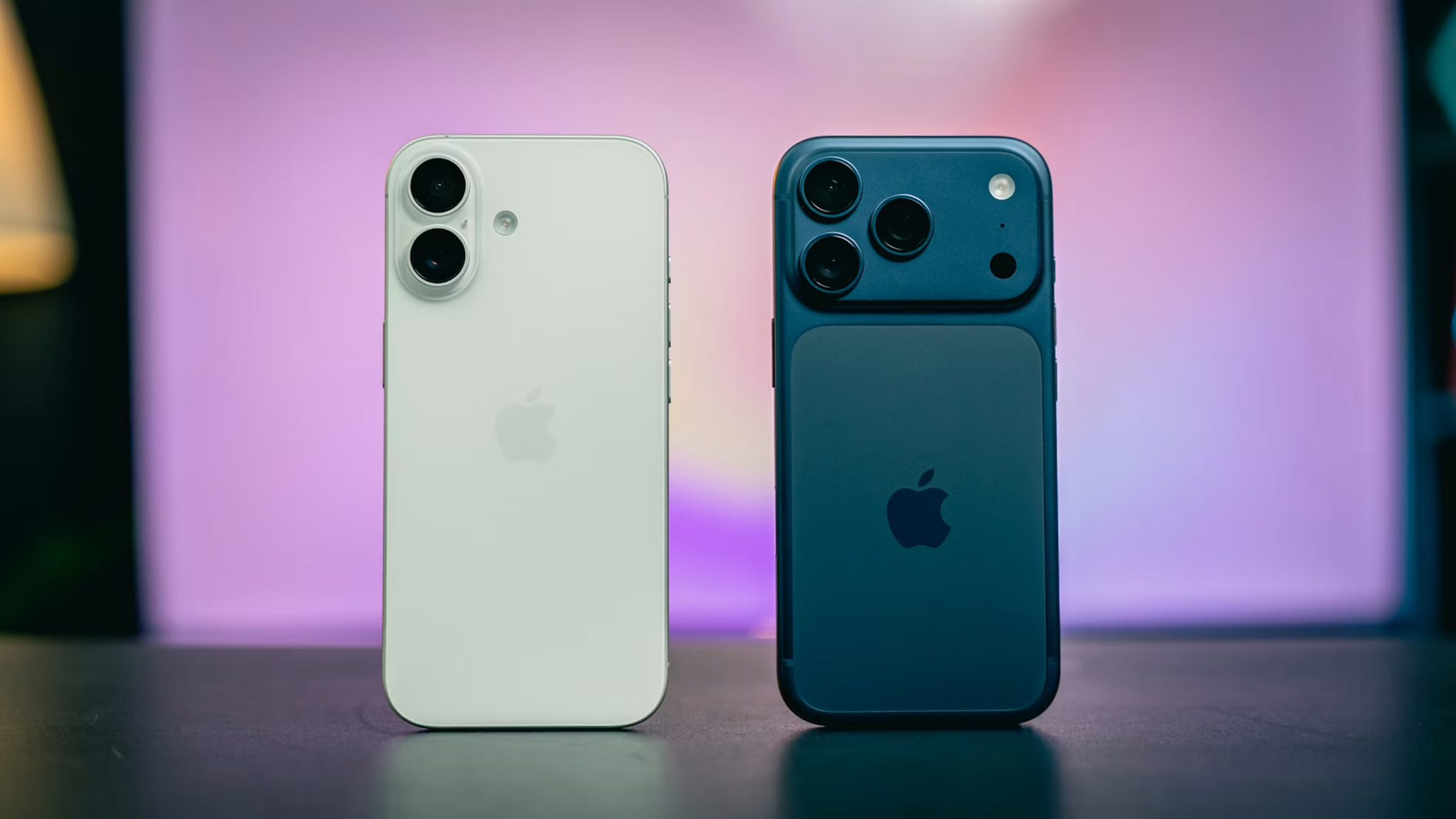
For work and creativity, 512 GB is the optimal format. It is suitable for:
- mobile photographers and videographers;
- video bloggers;
- people who like to keep content on their smartphone.
You can store media files, apps, and heavy games on the device at the same time. Shooting in 4K becomes more comfortable because you do not have to get distracted by low-storage notifications while creating content. However, over time, you may still need to move videos to external storage or delete duplicates.
Should You Buy 1 TB or More?
1 TB of built-in storage is available in iPhone Pro and Pro Max series. This configuration is justified because photos and videos in ProRAW and ProRes formats take up more space than usual. It is suitable for:
- professional content creators;
- people who edit videos and photos directly on the device;
- users who want independence from cloud storage.
With 1 TB, you can store thousands of photos, shoot high-resolution videos, download hundreds of apps, and worry less about storage.
How to Determine Your iPhone Storage Needs?
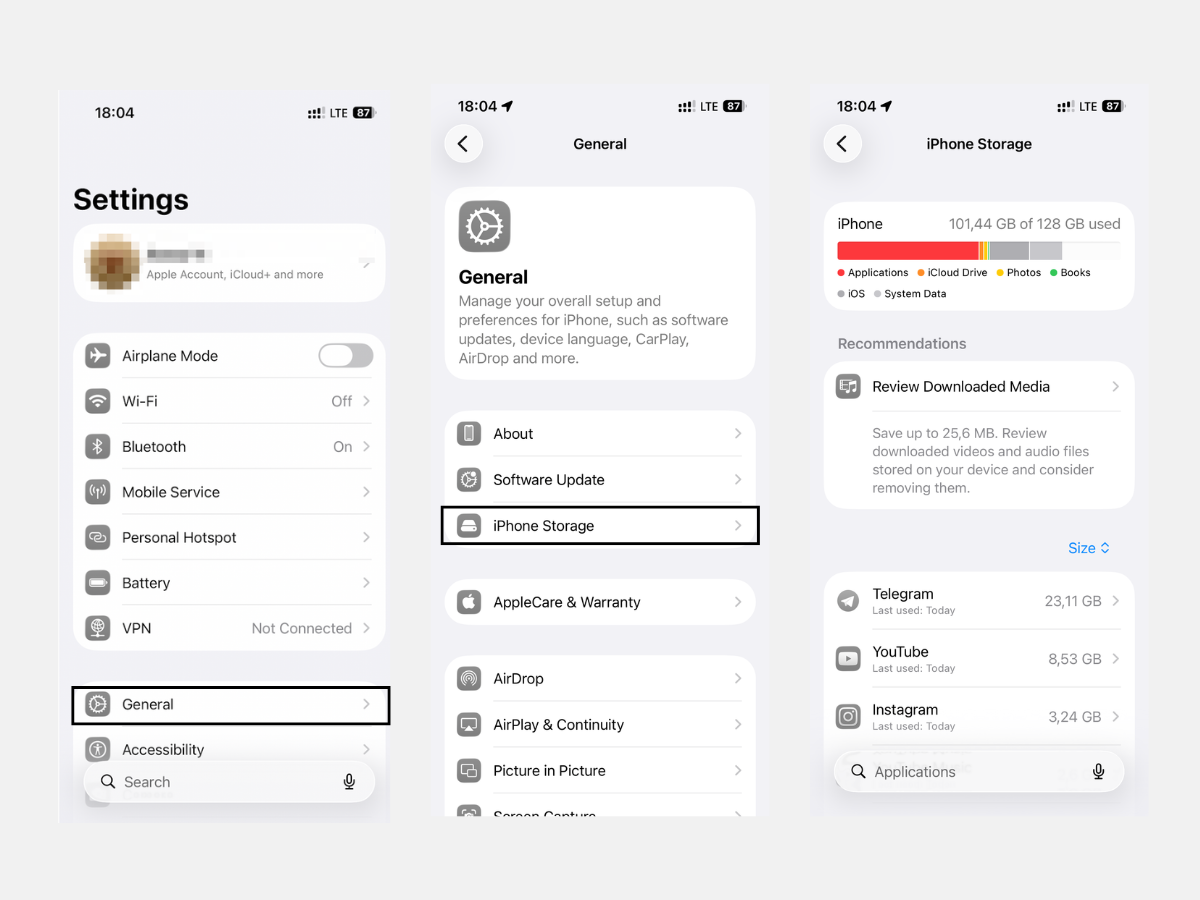
If you are replacing an old Apple device with a new one, it will be easier to understand how much storage you need. In the system settings, go to “General” — “iPhone Storage.” There, you can see how much storage is used and what takes up space. Current iOS versions also require more storage.
If you are choosing your first smartphone from the brand, consult iSpace experts — they will help you choose the right configuration.
How Much Space Do iOS, Apps, and Files Take Up?
The amount of storage available to you is less than what is stated in the smartphone description. The operating system takes up about 10–20 GB, and another 12 GB is needed for Apple Intelligence if the phone supports it.
Cache and temporary files can take up hundreds of gigabytes. Basic apps with accumulated cache can weigh up to 30 GB. Games and heavy media editing apps may sometimes require up to 55 GB — it all depends on how you use them.
What to Do If You Are Running Out of Storage?
If free space is running low, optimize your storage. Here is what you can do:
- Check what is taking up space in storage. Go to “General” — “iPhone Storage.”
- Clear chat cache in app settings. You can also set an automatic limit for data storage.
- Move files to a computer or cloud storage. Use a cable or enable data syncing.
- Clear the offline archive of streaming apps such as Netflix, Spotify, and YouTube.
- Enable optimized file storage in iCloud. Icons will remain on the smartphone, while the files themselves will be moved to the cloud.
iSpace experts, Apple Premium Reseller in Armenia, can help you choose the right built-in iPhone storage capacity for your needs and set up iCloud syncing. Buy Apple devices offline in Yerevan or order them from the online store with delivery across the country. If you have any questions, ask the consultants in the store or in the website chat.
FAQ
Is 128 GB enough for several years?
The base configuration, 128 GB, is enough for about 2–3 years. Regularly clear cache and use cloud storage for large files. But if you actively use the camera, the built-in storage may not be enough, so it is better to choose 256 GB or more.
How much storage is needed for regular use?
The optimal option is 256 GB. It is enough for storing photos and a large number of apps.
How much space do 4K videos and photos take up?
One hour of 4K video takes up to 45 GB. One photo can take up to 10 MB, depending on the format.
How can you increase iPhone storage?
Increasing iPhone storage by installing a new drive is impossible. You can expand available space with cloud storage.
What is better: more storage or iCloud?
The right storage capacity helps avoid storage issues. However, for convenience, you can use both built-in storage and the cloud.
Why does storage run out even with a “small” number of apps?
A common issue is cache. Apps save some files to speed up repeated loading, and those files take up space. Game content can also consume a significant amount of storage.
Always be aware!
Subscribe to the newsletter and be the first to know about new promotions and special offers