
Tablе of Content
- 1 Review of the M4 Chip Laptop: How Does It Differ From Previous Generations?
- 2 Performance and Tasks: Comparison with the Pro Series Model
- 3 Autonomy and Thermal Behavior: Laptop Tricks
- 4 13 or 15 Inches: Which Display Size to Choose?
- 5 Memory Configuration
- 6 Integration With Apple Ecosystem and Accessories
- 7
- 8 FAQ
When you buy a new laptop from Apple, you get a ton of options for work and creativity. We’ve reviewed the MacBook Air with the built-in M4 chipset — this article will help you quickly check out all the features of the latest model.
Review of the M4 Chip Laptop: How Does It Differ From Previous Generations?
Apple specialists have taken all user needs into account. Important features:
- new memory configurations — the gadget can boast up to 32 GB of combined memory, which guarantees stable operation of heavy applications and the Apple Intelligence system;
- additional CPU cores — two additional cores (ten in total) for faster processing of complex requests;
- support for two external displays — you can use three displays at the same time, which makes it easier to work with multiple applications or documents;
- updated camera — the 12 MP wide-angle Center Stage camera ensures that you are always in the center of the frame, even when moving;
- improved video recording — the camera shoots in 1080p HD, and the signal processing has been improved, resulting in less interference in the image;
- microphones for video and audio communication — the improved system makes your voice clearer and cuts out background noise.
Compared to previous models, we would also like to highlight the new color — Sky Blue, a metallic light blue shade. It is a worthy add-on to the premium color palette, which already includes the well-known Midnight, Starlight, and Silver colors.
Performance and Tasks: Comparison with the Pro Series Model
You can figure out what you need — an Air series model with an M4 processor or a new device from the professional line — by comparing the main parameters. See the table for more details:
| Features | MacBook Air M4 | MacBook Pro M5 |
| Display diagonal | 13.6 or 15.3 inches | 14.2 inches |
| Basic RAM | Up to 32 GB | Up to 32 GB |
| CPU | 10 cores | 10 cores |
| GPU | 8–10 cores | 10 cores |
| Cooling | Passive | Active |
| Camera | 12 MP Center Stage | 12 MP Center Stage |
| Autonomy | Up to 18 hours | Up to 24 hours |
| Weight | 1.24–1.51 kg | 1.55 kg |
For office work and studying, the lightweight MacBook Air is the perfect choice. If you often render, work in Blender, or edit heavy videos, we recommend taking a look at the Pro version with the M5 chip.
Autonomy and Thermal Behavior: Laptop Tricks
The MacBook Air M4 impresses not only with its performance but also with its incredible battery life. A full charge lasts for 18 hours of video playback or 15 hours of web browsing. That’s enough for a full working day, even if you have several online meetings with your team scheduled.
Another cool trick — no fan. Even when running heavy apps, the gadget stays quiet. The aluminum body of the laptop has excellent heat dissipation and doesn’t overheat. And the custom chip uses energy efficiently, which reduces heat generation.
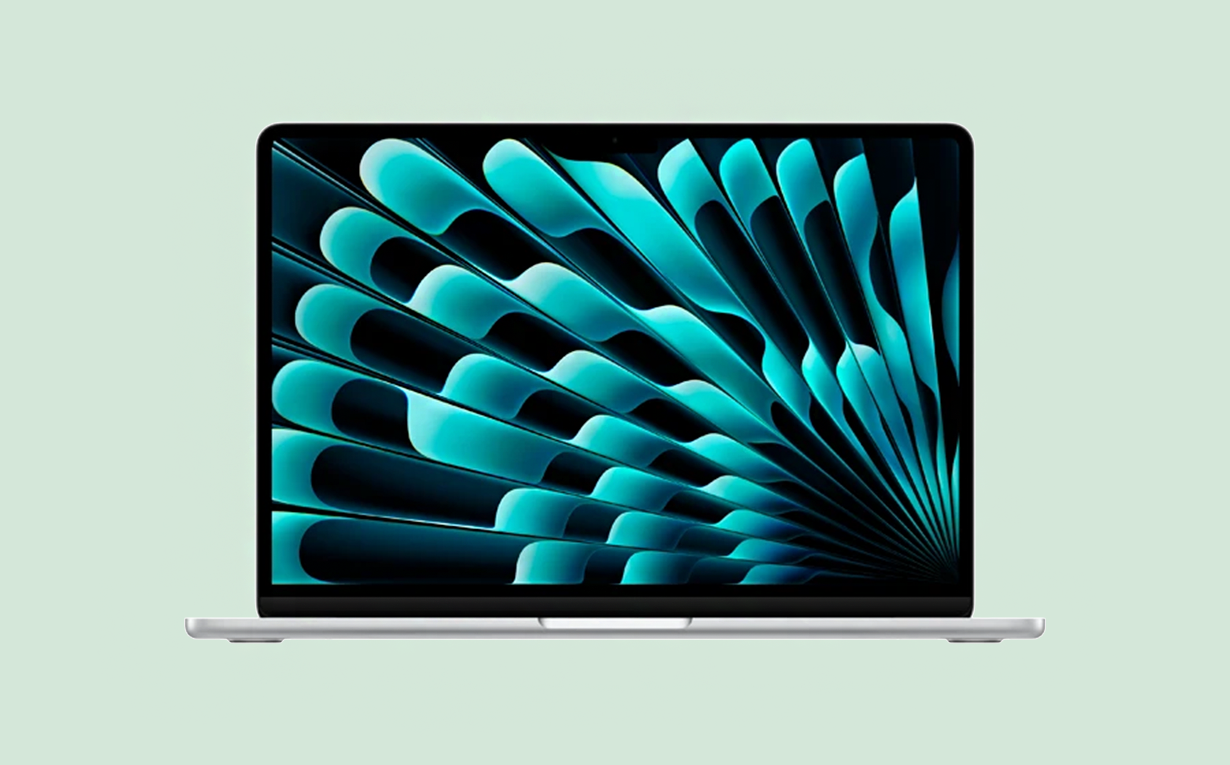
By the way, the M4 chip gives this Mac model the ability to compete with Pro-line gadgets. An improved neural engine and a new generation of ray tracing have expanded the AI system’s options: now it’s even easier to work with text, edit photos, and play realistic games.
13 or 15 Inches: Which Display Size to Choose?
The MacBook is available with two display sizes. The lightweight and compact 13-inch gadget is usually preferred by users who work “on the go”. It is easy to take with you on business trips and travels and to move between coworking spaces. The larger display (15 inches) is an excellent choice for working with multiple windows, as it allows you to see more details without switching between windows.
Memory Configuration
The basic configuration of the MacBook Air M4 is already remarkable: it has 16 GB of RAM and a 256 GB SSD drive. For resource-intensive tasks, you can choose versions with 24 and 32 GB of RAM and internal storage capacities of 512 GB and 1–2 TB. The benefit of the advanced option is that you can be sure to use the laptop as a work device for another 5–7 years.

Integration With Apple Ecosystem and Accessories
The latest MacBook model is perfectly integrated with the brand’s ecosystem. For example, the Handoff function lets you start working on your iPhone and continue on your Mac. The laptop also supports wireless accessories such as AirPods. And you can unlock it with your Apple Watch.
If you decide to buy this model, check out iSpace — Apple Premium Reseller in Armenia. When ordering online, delivery is available all over the country. You can also visit any of our stores in Yerevan, where the newest Apple devices are available for you to test. You can personally compare the models you are interested in. If you still have questions, our experts will be happy to provide all the necessary information and help you make your choice. And to get even more benefits from your new device, you can choose to pay by credit or in monthly installments.
FAQ
Can I work with videos?
The M4-based Mac has sufficient RAM for editing 4K video.
Is it possible to work on a MacBook Air M4 with two monitors?
This laptop model supports two external monitors. At the same time, the laptop display can also be used.
Is 16 GB of memory sufficient for 3–5 years?
The 16 GB RAM will last for several years, not only for office tasks, but also for basic video editing and photo processing. The laptop allows you to comfortably use advanced search and image generation functions using AI.
Will third-party adapters charge my MacBook Air M4?
Charging is possible thanks to the USB-C port. However, the adapter must have a power rating of over 70 W. At iSpace, you can easily find original and certified accessories for Apple devices.
ALSO READ:
MacBook Pro 14 2025 Review: a Laptop for Those Who Demand More
How to Use a MacBook to the Max: Customize Laptop After Purchase
What can you do to make your iPhone, iPad, or MacBook battery last longer?
MacBook as a gaming computer. Which model to choose?
Always be aware!
Subscribe to the newsletter and be the first to know about new promotions and special offers